 |
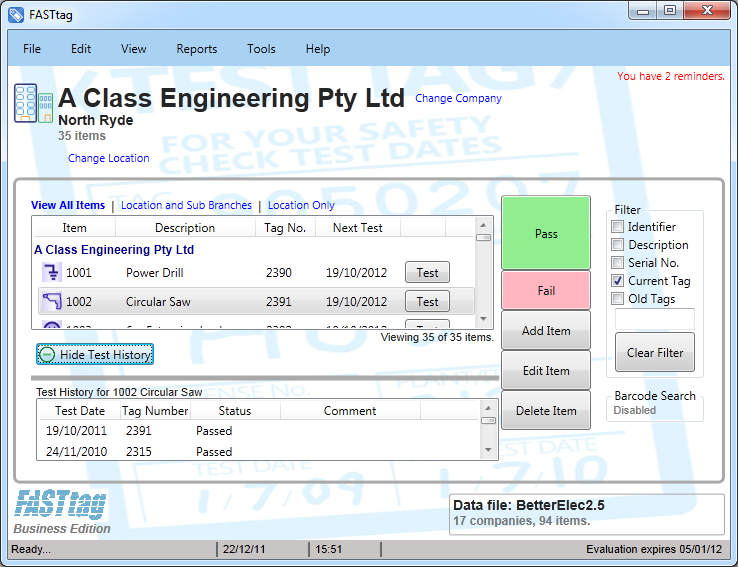
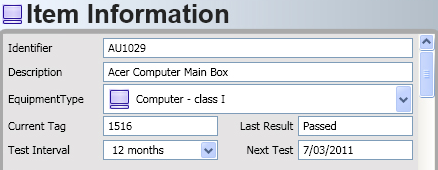
Fast Entry of Appliances
Quickly enter appliance information as you are testing, with
FASTtag's easy to use interface. Tedious details such
as appliance description are entered quickly with FASTtag,
with the unique Predictive Text and Abbreviation features.
more |
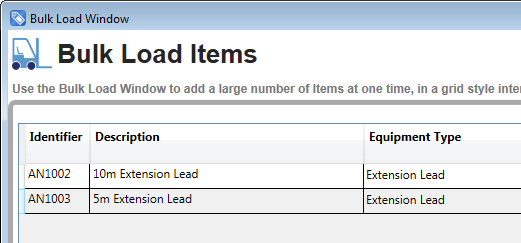 |
Bulk Load
Quickly add new items with FASTtag's
Bulk Load feature. In bulk load, large amounts of items can be added and
tested from one screen. New items can be added or replicated
from a set of defaults or the details for each item
can be manually entered. Testing is made easy with the test
button applying a default test status.
more |
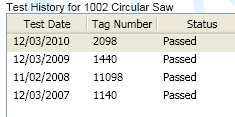 |
Complete Test History
Keep a complete record of all tests and tags for the
appliance, over the lifetime of the appliance. If you ever have
an incident, all the testing information is immediately
available in one window or on a printed report.
more |
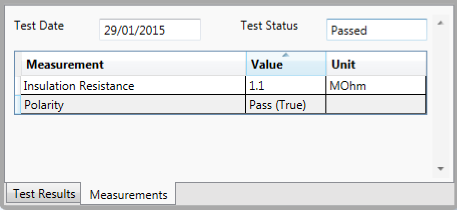 |
Test Measurements
Track electrical measurements in addition
to Pass/Fail status, to help track the health of a device and
provide additional value to clients.
more |
 |
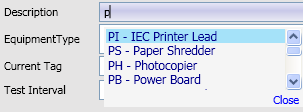
Predictive Text
The most time consuming part about test and tag documentation is
entering the appliance description - that is now fast and simple
with
FASTtag.
As you begin to enter the description (or the other text fields), you are presented with a
list of previously used descriptions - just select the right one
or keep typing a new description. Not only does this save time,
it helps to maintain consistency in your naming and on reports.
more |
 |
Abbreviations
Abbreviations complement Predictive Text by providing short 2 or
3 character abbreviations for commonly used descriptions. |
 |
Keyboard Shortcuts
For experienced users,
FASTtag
offers Keyboard Shortcuts, to accelerate entry of data. With
just a few simple CTRL key combinations, new appliances can be
entered, tests completed and results saved - all without having
to take your hands away from the keyboard to find the mouse or
touch pad.
more |
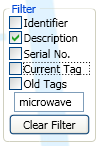 |
Quickly find items for re-test
Once the appliance is entered into
FASTtag
re-test is a breeze. Just find the appliance with one of the
easy to use tools, like filter, then click the Test button.
There is no need to waste time re-entering description, class,
test interval, etc. |
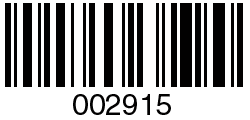 |
Barcode scanning
If your appliances have a bar code applied, you can use a
barcode scanner to instantly find the appliance information in FASTtag.
more
Barcode shortcuts
You can use your barcode scanner to really speed up the data
entry using barcodes to automate common tasks, such as Pass.
more |
 |
Cut
/ Copy / Paste
Quickly move multiple items from one location to another. Save
time by copying one or more existing items. Replicate items
multiple times.
more |
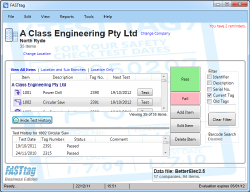 |
Touch
Screen Mode
Support for the latest touch screen displays and Tablet devices.
more |
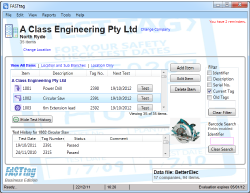 |
Small
Screen Mode
Optimise the screen layout for low cost, compact Netbook
computers.
more |
 |
Adjustable Font Sizes
Set the size of the on-screen text according to your preference..
more |
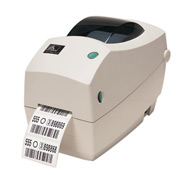 |
Tag Printer Option
With the Optional Tag Printer feature, you can print the Test
Tag using any ZPL compatible printer, complete with barcodes. Imagine how much faster
this will be than hand writing tags!
more |
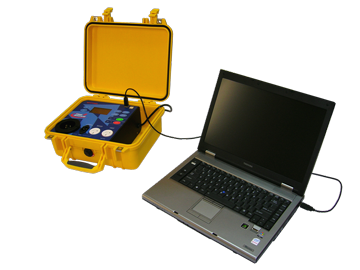 |
Tester
Interface Option
With the Optional Tester Interface, you can connect your
computer direct to the portable appliance tester, and
automatically obtain the results as each test is completed.
more |
 |
Reminders
FASTtag
automatically reminds you when appliances are due for re-test.
There is a reminder summary in the main window, and items due
for retest are shown in red. |
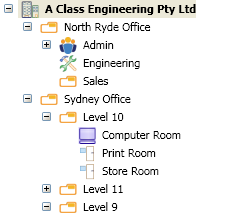 |
Multiple Locations and Sub-Locations
FASTtag
has a flexible and configurable structure to allow you to group
the appliances in any way you like; by building, floor, team,
manager, etc. You can create as many Sub-Locations as you need
to manage and quickly locate the appliances you are testing. |
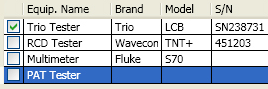 |
Multiple Appliance Testers
Record all the key details of all your test equipment, including
brand, model and next calibration date. Details of test
equipment used are recorded with each test.
more |
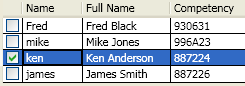 |
Multiple Users / Technicians
A critical step in documenting your electrical testing
procedures, is recording the "Competent Person" performing the
test.
FASTtag
records this information for each test and allows you to select
between the test personnel in your organisation.
more |
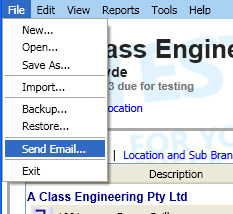 |
Email Integration
Sending an email to your customer is integrated into
FASTtag.
The email address is recorded with the customer information, and
FASTtag
will open a compose email from your default email tool, with the
recipient and your details already included. |
 |
Unique Item Identifiers
You can optionally force unique appliance identifiers, to ensure
there is no duplication, promoting accuracy and best practises. |
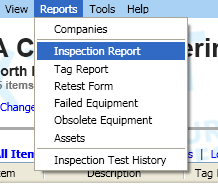 |
Reporting
FASTtag
gives you a range of attractive reports available with just a
few clicks. You can filter reports by a variety of means,
including by Location and by Test Date. You can even save the
report to a pdf file for easy emailing. |
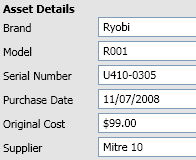 |
Asset Management
FASTtag
not only manages your portable appliance testing, it doubles as
an asset manager. Information for each appliance such as brand,
model, serial number, supplier and cost is recorded. You can
even keep a photo of the appliance! |
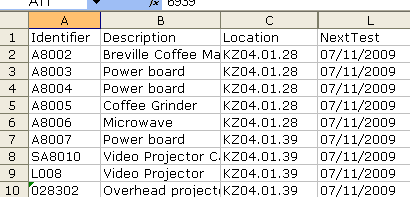 |
Import Wizard
Some test and tag professionals have already realised the
importance of computerisation of their records and have
extensive information recorded in Excel.
FASTtag
provides an Import Wizard to easily and quickly read this
existing information. |
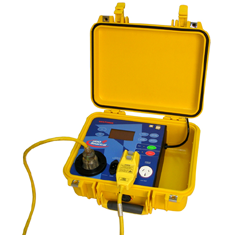 |
Import from Trio Pro Logger
Users of the Trio Pro Logger will be familiar with the download
tool, that allows a batch of tests to be easily transferred to
an excel csv file.
FASTtag
imports these files in a single process, automatically creating
Locations and Sites, and recording the electrical measurements
from the Pro Logger. |
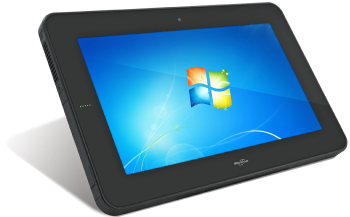 |
FASTtag Tablet
For
the ultimate in portability the
FASTtag Tablet
includes both the FASTtag
software and the durable, industrial strength Tablet computing
hardware (CL900 from Motion Computing). Light enough to take anywhere
(0.95kg) and with up to 8 hours battery life, FASTtag Tablet
helps you to work faster, smarter and more effectively.
more |
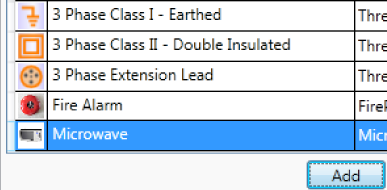 |
Configurable Equipment Types
If your services extend beyond appliance Test and Tag, you may
want to create your own Equipment Types. For example, if you
offer Microwave or Exit Light Testing, FASTtag
Professional Edition allows you to add these types, complete
with a helpful icon.
more |
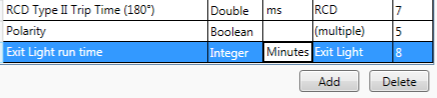 |
Configurable Measurement Types
In FASTtag
Professional Edition, additional measurement types can be added
to record test results outside the requirements of AS3760. New
electrical or non electrical equipment types may be added that
require a different type of test be performed.
more |
 |
Configurable System Settings
Like configurable Equipment Types, you can also add custom
settings for Location Types, Test Intervals and Test Results. FASTtag
Professional Edition allows you to create a customised
environment, that works the way you do.
more |
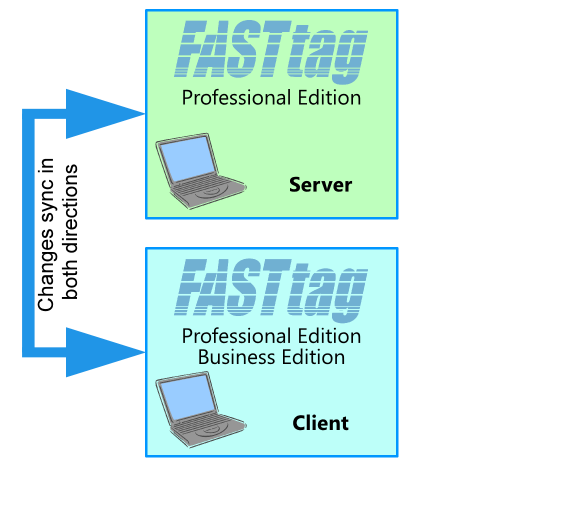 |
Network Data Sharing
For organisations recording test results on multiple devices,
sharing the data is essential for a streamline operation. Our
unique SmartSync technology provides an easy way to
manage this, with the ability to access your data even when the
device is disconnected from your network.
more |
 |
Custom Reports
Create reports in any format that is required, with the easy to
use Report Designer that is included with FASTtag
Professional Edition. You have full control over the fields
included, fonts, layout, sorting, filtering and grouping.
more |
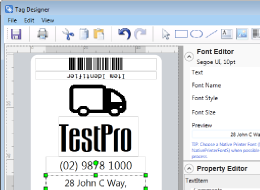 |
Custom Tags
Tags can be quickly created according to your customer's
requirements. The included Tag Designer provides an easy to use
Tag Template editing tool to setup the layout, fonts and Tag
data. You can even define different tags to be used for
different test results.
more |
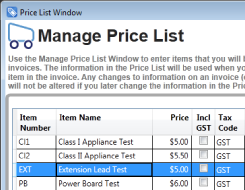 |
Price List
The Price List in FASTtag
Professional Edition provides a convenient way to record the
prices for your services. These prices can then be used for
automated generation of invoice.
more |
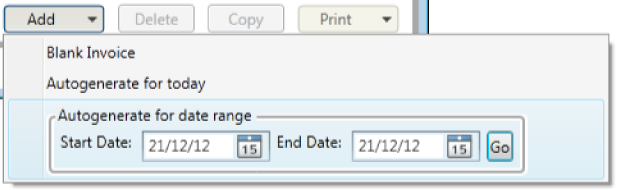 |
Automated Invoicing
Create your invoices automatically, based on the Tests that have
been performed. Imagine how much paperwork and time this will
save you!
more |
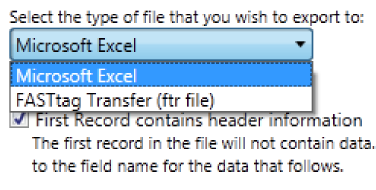 |
Export Wizard
Export your Test and Tag data to excel, for further analysis and
manipulation. This is also helpful if you want to integrate with
other third party applications.
more |
|
|
Supported Platforms
Windows Vista SP2 (32-bit and 64-bit)
Windows 7 SP1 (32-bit and 64-bit)
Windows 8 (32-bit and 64-bit)
Windows 8.1 (32-bit and 64-bit)
Windows 10 (32-bit and 64-bit)
|